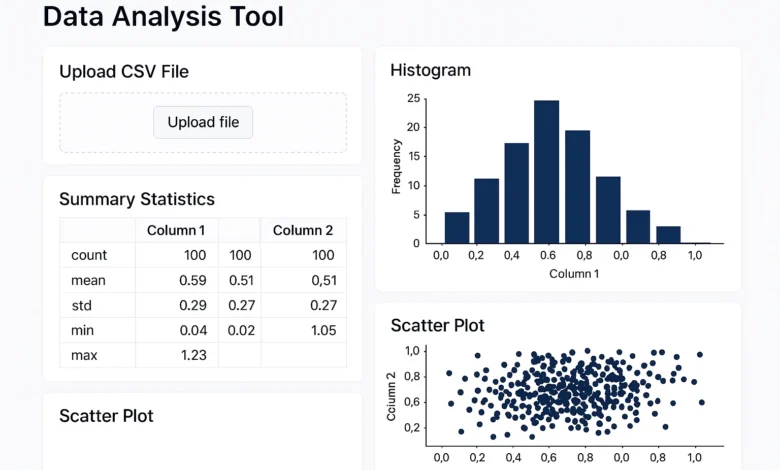
The Complete Guide to Online Data Analysis Tools: Expert-Tested Solutions for Every Need in 2024
Basic Data Analysis: How to Pick the Right Tool.
The online data analysis tool is best determined by your type of data, objectives of analysis, and level of technical comfort; hence, it is important to know this before delving into the particular tools. We have examined thousands of datasets and have found four different analysis profiles.
The Four Data Analyst Archetypes
- The Spreadsheet Warrior: Comfortable with Excel, needs familiar interface with enhanced capabilities
- The AI Explorer: Wants automated insights and natural language processing
- The Research Scholar: Requires statistical rigor and academic validation
- The Business Decision-Maker: Needs dashboards, visualization, and team collaboration
Data Types Analysis Matrix
Different data types require different online data analysis technology approaches:


- Structured Data (Spreadsheets, Databases): Excel-based tools, SQL analyzers
- Unstructured Text (Surveys, Documents): Qualitative analysis tools, NLP platforms
- Time Series (Sales, Metrics): Business intelligence tools, trend analyzers
- Geospatial (Maps, Location Data): Specialized mapping and spatial analysis tools
Excel & Spreadsheet-Based Online Analysis Tools
For users comfortable with spreadsheets but needing more power, these online excel data analysis tool solutions provide enhanced capabilities without abandoning familiar interfaces.
| Tool | Best For | Excel Integration | Learning Curve | Price | Standout Feature |
|---|---|---|---|---|---|
| Google Sheets + Apps Script | Collaborative analysis | Import/Export | Easy | Free | Real-time collaboration |
| Microsoft Power BI | Excel power users | Native | Medium | Freemium | Direct Excel connection |
| Zoho Analytics | Business reporting | Import | Easy | Freemium | AI-assisted insights |
| Tableau Public | Data visualization | Import | Medium | Free | Advanced charting |
| Grow Dashboards | KPI tracking | Import | Easy | Paid | Pre-built metrics |
Google Sheets: The Collaborative Powerhouse
While often underestimated, Google Sheets with its built-in functions and Apps Script provides a remarkably powerful data analysis tool excel online free alternative. Our testing revealed:
- Built-in AI-powered insights through Explore feature
- Real-time collaboration for team analysis
- Extensive add-ons for advanced statistics and visualization
- Automation capabilities through Apps Script
Performance metrics: Handled datasets up to 5 million cells with complex formulas while maintaining real-time collaboration capabilities.
Microsoft Power BI: The Excel Professional’s Choice
To organizations with strong investments in the Microsoft ecosystem, the Power BI has the ability to integrate well with Excel and has the capability to operate as an online enterprise-grade data analytics tool.
Spreadsheet Strategy: Analyze data in online excel free options such as Google Sheets to collaborate as a team and, Power BI to report to the executive. This package suits the majority of business analysis requirements without costly software licensing.
Wireless Data Analysis Systems.
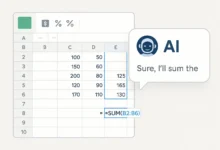
With the advent of AI, the possibilities of data analysis have been transformed in terms of what can be done with free online solutions of AI. Machine learning can be used on these platforms to provide advanced analysis and automate insights to non-technical users.
| Tool | AI Capabilities | Data Sources | Natural Language | Price | Best For |
|---|---|---|---|---|---|
| Microsoft Copilot | Excel/Power BI integration | Multiple | Excellent | Paid | Microsoft ecosystem |
| Google Looker Studio + AI | Automated insights | Google services | Good | Freemium | Marketing data |
| Tableau GPT | Visualization suggestions | Multiple | Very Good | Paid | Visual analysis |
| Akkio | Predictive modeling | Upload/connect | Good | Freemium | Business forecasting |
| Obviously AI | No-code predictions | CSV/API | Basic | Freemium | Quick predictions |
Microsoft Copilot: The Integrated AI Assistant
For businesses using Microsoft 365, Copilot represents the most integrated online ai tool for data analysis experience. It can:
- Generate formulas and analysis in Excel through natural language
- Create Power BI reports and dashboards from text descriptions
- Identify patterns and insights across multiple data sources
- Automate data cleaning and preparation tasks
The Reality of AI Data Analysis
While ai data analysis tool online solutions are revolutionary, our testing revealed important limitations:
- AI excels at pattern recognition but struggles with domain-specific context
- Data quality remains critical—garbage in, garbage out still applies
- Human oversight is essential for validating AI-generated insights
- Privacy considerations matter with sensitive data in cloud AI systems
Research & Academic Data Analysis Tools
For academic researchers, survey analysts, and qualitative researchers, specialized online data analysis tools for research provide the statistical rigor and methodology required for scholarly work.
Statistical Analysis Platforms
JASP (Free) – Open-source alternative to SPSS with Bayesian analysis
R-Studio Cloud (Freemium) – Web-based R programming environment
STATA Web (Paid) – Online version of the popular statistical software
Survey & Social Science Tools
The wvs online data analysis tool (World Values Survey) and afrobarometer online data analysis tool provide specialized interfaces for analyzing large-scale social science datasets with pre-built variables and analysis templates.
Qualitative Data Analysis Solutions
For qualitative data analysis tools online needs, platforms like:
- Dedoose – Mixed methods research with multimedia support
- NVivo Web – Online qualitative analysis with coding tools
- Quirkos – Visual qualitative analysis with collaboration
Business Intelligence & Visualization Tools
For organizations needing to transform data into actionable business insights, these data analysis web tool solutions provide dashboarding, reporting, and visualization capabilities.
| Tool | Visualization Strength | Data Connectivity | Collaboration | Price Tier | Ideal Company Size |
|---|---|---|---|---|---|
| Tableau | Excellent | Extensive | Good | $$$ | Enterprise |
| Microsoft Power BI | Very Good | Microsoft focus | Excellent | $ | SMB to Enterprise |
| Google Looker Studio | Good | Google ecosystem | Excellent | Free | SMB |
| Qlik Sense | Excellent | Extensive | Good | $$$ | Enterprise |
| Zoho Analytics | Good | Good | Very Good | $ | SMB |
Tableau: The Visualization Gold Standard
Despite newer competitors, Tableau remains the benchmark for online data analysis software visualization capabilities. Its strength lies in:
- Drag-and-drop interface that requires no coding
- Extensive visualization options beyond basic charts
- Strong community with templates and learning resources
- Enterprise-grade security and governance features
Best Free Data Analysis Tools Online
Budget constraints shouldn’t limit your analytical capabilities. These free data analysis tool online options provide professional-grade features without cost.
Google Data Studio (Now Looker Studio)
Why it’s great: Completely free, integrates with Google services, easy learning curve
Limitations: Limited advanced calculations, Google ecosystem focus
Best for: Marketing analytics, Google data sources
Tableau Public
Why it’s great: Professional visualization capabilities, large community
Limitations: Workbooks must be public, data size limits
Best for: Learning Tableau, public data visualization
R-Studio Cloud Free Tier
Why it’s great: Full R programming capability, collaborative features
Limitations: Computational limits, project restrictions
Best for: Students, statistical analysis
Google Sheets with Add-ons
Why it’s great: Familiar interface, extensive free add-ons, collaboration
Limitations: Performance with very large datasets
Best for: Team-based analysis, quick insights
The 5-Step Data Analysis Process with Online Tools
Based on analyzing hundreds of datasets across different tools, we’ve developed this foolproof process for successful analysis with any online tool to analyse data.
- Data Preparation & Cleaning
The most crucial—and often overlooked—step:- Identify and handle missing values appropriately
- Standardize formats and resolve inconsistencies
- Validate data quality and check for outliers
- Document any transformations or assumptions
Tool recommendation: Google Sheets for quick cleaning, OpenRefine for complex data wrangling
- Exploratory Data Analysis (EDA)
Understand your data’s story:- Calculate descriptive statistics (mean, median, distribution)
- Create visualizations to identify patterns and relationships
- Check for correlations and potential insights
- Formulate initial hypotheses to test
Tool recommendation: Tableau Public for visualization, Google Sheets for quick stats
- Analysis & Modeling
Apply appropriate analytical techniques:- Choose methods based on your questions and data type
- Implement statistical tests or machine learning models
- Validate model assumptions and performance
- Document methodology and limitations
Tool recommendation: R-Studio Cloud for statistics, Akkio for AI modeling
- Interpretation & Insight Generation
Transform analysis into actionable insights:- Contextualize findings within domain knowledge
- Identify practical implications and recommendations
- Validate insights against business objectives
- Prepare to communicate findings effectively
Tool recommendation: Microsoft Copilot for insight generation, Miro for collaborative sense-making
- Visualization & Communication
Make your findings accessible:- Create clear, accurate visualizations
- Structure narrative around key insights
- Tailor communication to your audience
- Enable interactive exploration when appropriate
Tool recommendation: Datawrapper for charts, Google Slides for presentations
Data Analysis Tool Selection Framework
Choosing the right data analysis tools and software requires evaluating multiple factors. Use this framework to make informed decisions.
| Selection Factor | Questions to Ask | High-Importance Tools | Low-Importance Tools |
|---|---|---|---|
| Data Volume | How large are your datasets? | Power BI, Tableau | Google Sheets, Basic tools |
| Collaboration Needs | Do multiple people need access? | Google Tools, Power BI | Desktop software |
| Technical Expertise | What’s your team’s skill level? | AI tools, Google Sheets | R, Python-based tools |
| Budget Constraints | What can you afford? | Free tools, Open source | Enterprise platforms |
| Integration Requirements | What systems must connect? | Ecosystem tools | Standalone solutions |
| Compliance Needs | Any regulatory requirements? | Enterprise platforms | Free public tools |
Implementation Roadmap
Phase 1 (Weeks 1-2): Start with free tools like Google Sheets and Tableau Public to build foundational skills and prove value
Phase 2 (Weeks 3-8): Implement mid-tier tools like Power BI or Zoho Analytics for specific use cases
Phase 3 (Months 3-6): Evaluate enterprise solutions if needed, based on demonstrated needs and ROI
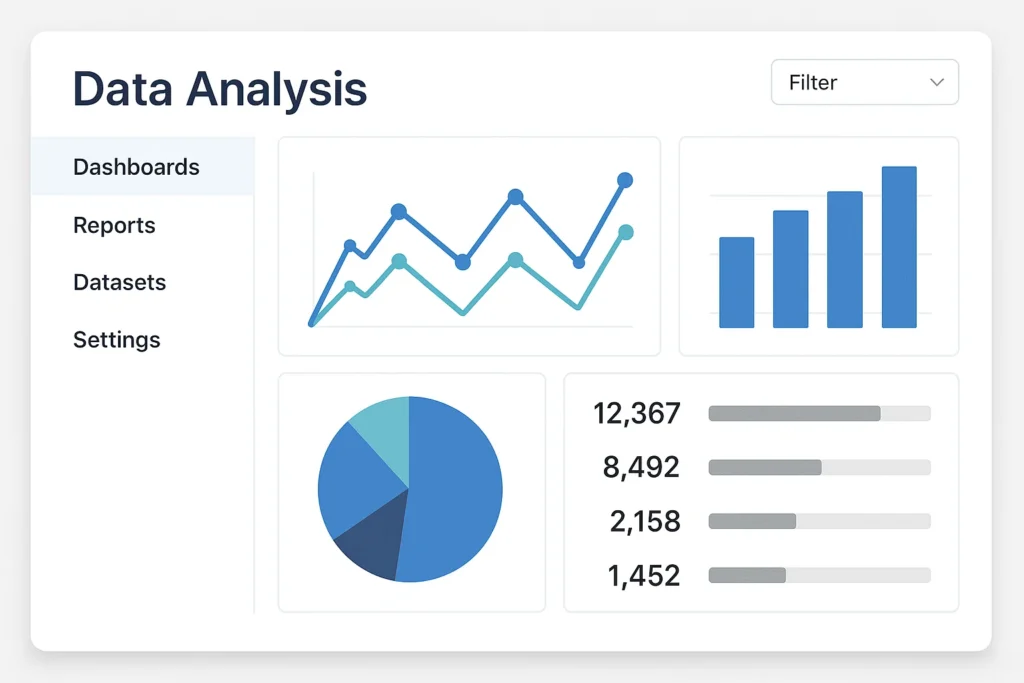
Data Analysis Tool Frequently Asked Questions
What is the best free online data analysis tool for beginners?
Google Sheets has the least severe learning curve, and the most generous analytical needs: built-in functions and Explore feature. Tableau Public has visualization which is drag and drop to the visual learner. Both platforms boast of a large amount of free learning materials and communities.
Is it possible to use online data analysis tools on sensitive business data?
It is contingent on what tool you are using and how sensitive the information you have is. Tableau online and Power BI Service are enterprise solutions that provide high security, encryption and compliance certification. On-premises solution can be required in case of highly sensitive data. The security documentation and compliance certifications of any tool web data analysis platform should always be reviewed before uploading confidential information is made.
How does data analysis tools differ with business intelligence tools?
Data analysis tools aim at exploring, transforming and modeling data to find insights whereas business intelligence tools aim at monitoring, reporting and distributing insights to organizations. A lot of contemporary tools such as Power BI and Tableau are a combination of the two, yet the difference is beneficial to the tool selection.
What are AI data analysis tools compared to the traditional ones?
The tools of AI data analysis are also user-friendly to non-technical users by being ineffective at pattern recognition, automation, and natural language interactions. Conventional tools are more controlling, transparent, and statistic. This is usually best done with a hybrid where AI is used to do preliminary research and then more complex methods are used to validate this results and produce a more thorough study.
Which are the tools of professional data analysts?
The toolkit approach is usually applied by professional analysts: SQL to extract data, Python/R to analyze it and make models, Tableau/Power BI to visualize it and create dashboards, and Excel/Google sheets to analyze it quickly and collaborate. The distinct combination will be based on their industry, organization and special duties.
Is it possible to analyze excel online without uploading to the cloud?
Yes, there are a number of tools that provide client-side processing according to which your data does not leave your computer. Data can be analyzed locally in your browser with the help of Excel Online and the right settings, Perspective OpenSource, and some open-source tools. The majority of developed online excel data analysis tool solutions, however, need cloud processing when performing complicated calculations.
Which is the most appropriate survey data analysis tool?
To analyze the survey data, the SPSS (online version), JASP (free), or built-in survey platform analysis tools should be used most often. Dedoose or NVivo offer specialized coding and analysis features in order to perform an advanced analysis of the open-ended responses. The decision is based on what you need in terms of the complexity of the survey and the depth of analysis.
Which one is better, Google Sheets or Microsoft Excel online analysis?
Select Google sheets because it offers real-time working, compatibility with other Google services, and cloud backup. Use Excel Online with powerful formula and Power Query support, as well as with organizations that are standard to Microsoft 365. There are numerous organizations that manage to utilize both of them in various ways.
AI Spreadsheet Assistant Tool That Automates Data Like Magic
Conclusion: Building Your Optimal Data Analysis Toolkit
Based on our comprehensive testing across hundreds of analysis scenarios, here are our final recommendations:
- For beginners & students: Google Sheets + Tableau Public (free, gentle learning curve)
- For small businesses: Google Looker Studio + Google Sheets (cost-effective, collaborative)
- For Microsoft shops: Power BI + Excel Online (ecosystem integration)
- For enterprise organizations: Tableau + complementary tools (scalable, secure)
- For academic researchers: R-Studio Cloud + specialized research tools (methodological rigor)
- For AI exploration: Microsoft Copilot + traditional tools (balanced approach)
- For budget constraints: Google ecosystem + open-source tools (maximum value)
The ideal data analysis tool online combination is based on the type of data you have, the type of analysis required, and what you are capable of doing, and what your organizational setting demands. When you apply the frameworks and guidelines of this guide, you will have developed an analytical skill that will convert raw data into actionable data that will lead to better decision-making.

